IRIS
IRIS
Customer Relationship Management (CRM) is a tool used company-wide to manage information and record interactions/services with customers.
Adding a New User
All new employees will need user access.
Steps:
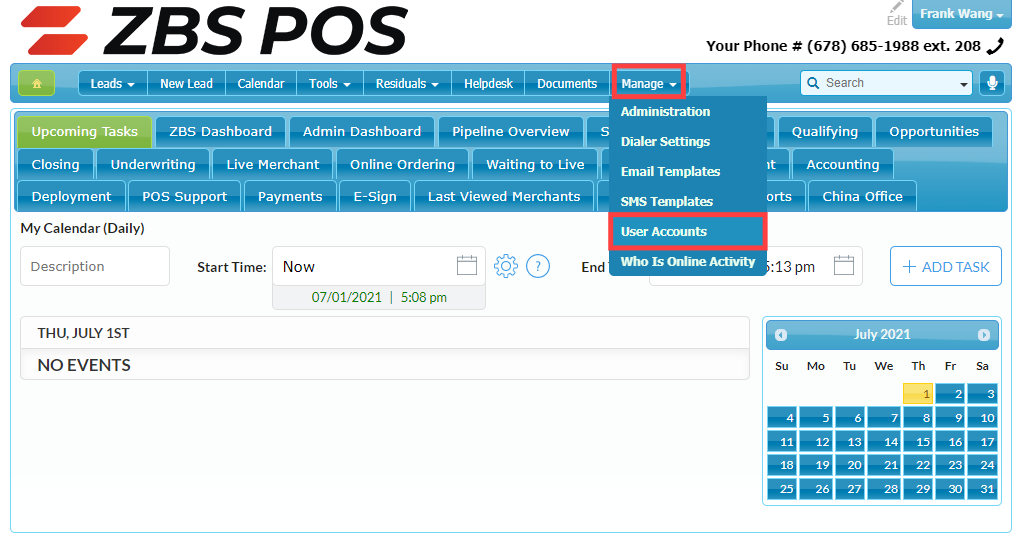
Navigate to crm.zbspos.com, hover over Manage, and click on User Accounts.
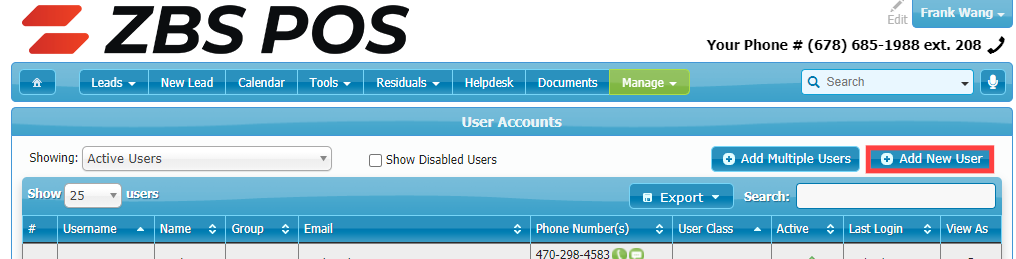
Click on Add New User.
Fill in the required fields as indicated and click on Create User:
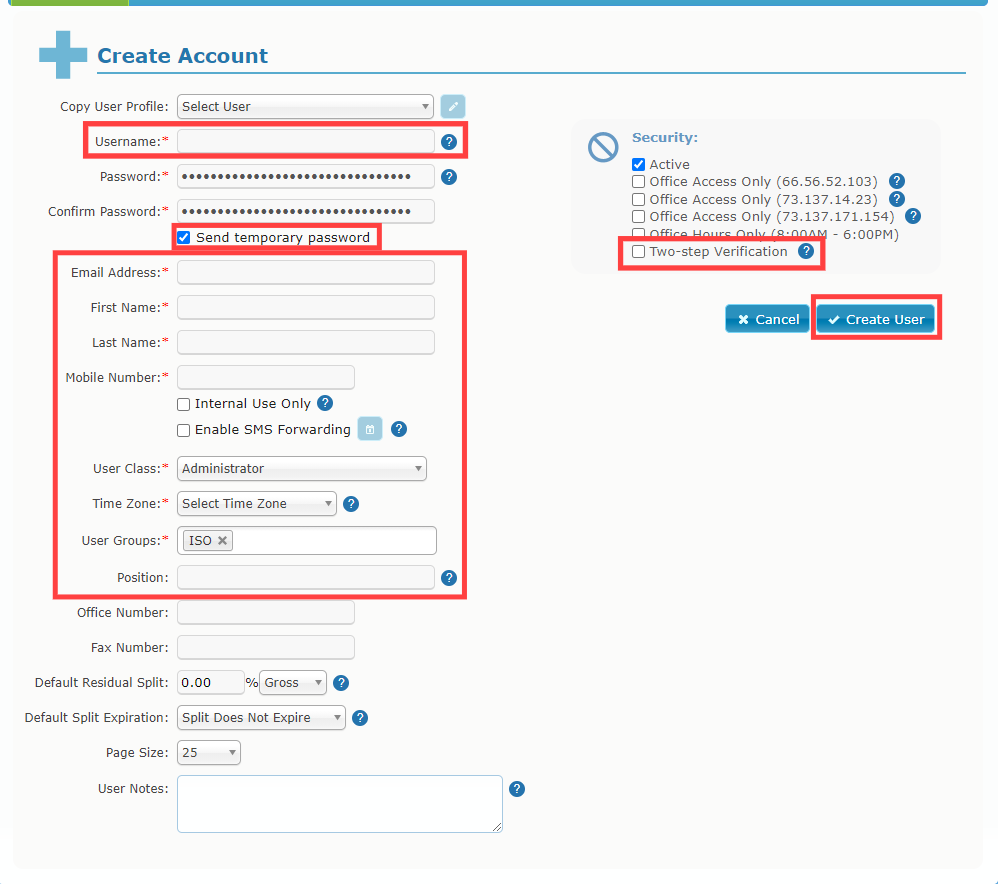
Username: first name followed by last initial
Initial passwords should be randomly generated. Verify that Send temporary password is checked.
Email Address: user's company email address OR csales@zbspos.com for Sales Representatives based in overseas offices.
First Name
Last Name
Mobile Phone Number: must be filled with user's personal cell phone number to enable Two-step Verification. For overseas sales agents, use 678-685-1988.
Check Internal Use Only.
User Class: this controls the majority of the user's permissions within the CRM. Match this with the user's job title/role.
Time Zone: select the appropriate time zone based off of each user's location. For overseas sales agents, select Eastern.
User Groups: select the appropriate User Group based on their office location (i.e. Atlanta Office, Direct, China Office)
Position: employee's title
Security: all US based employees should have Two-step Verification enabled. Select the appropriate IP restriction if employee should not have access out of office.
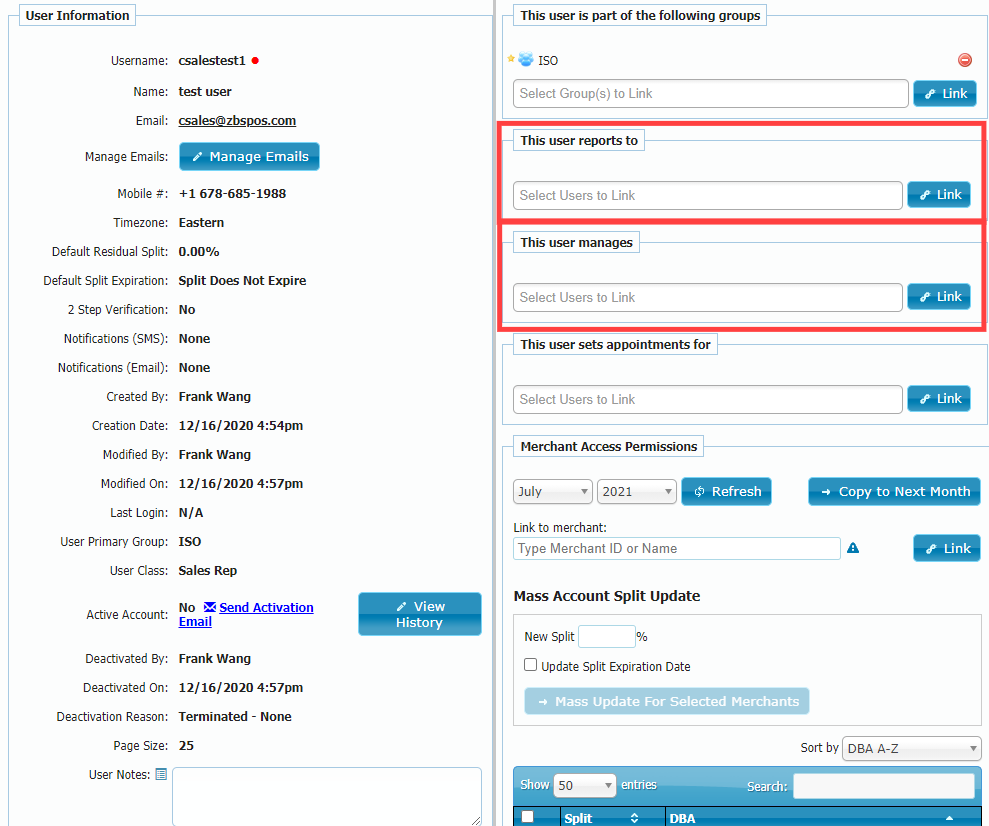
Select users that this employee will report to or manage as needed and click on Link.
Disabling an User
When an employee is terminated or resigns, their access will need to be disabled to protect sensitive company information.
Steps:
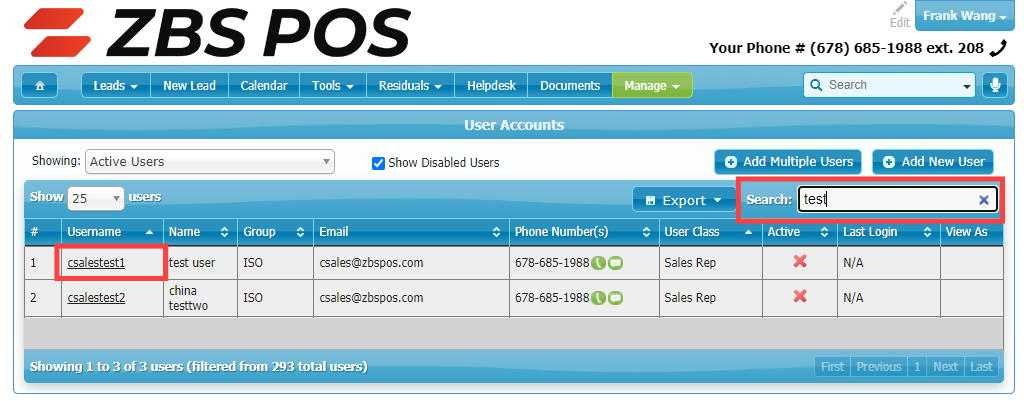
Navigate to crm.zbspos.com, hover over Manage, and click on User Accounts.
Search for user that should be disabled in the search bar and click on their username.
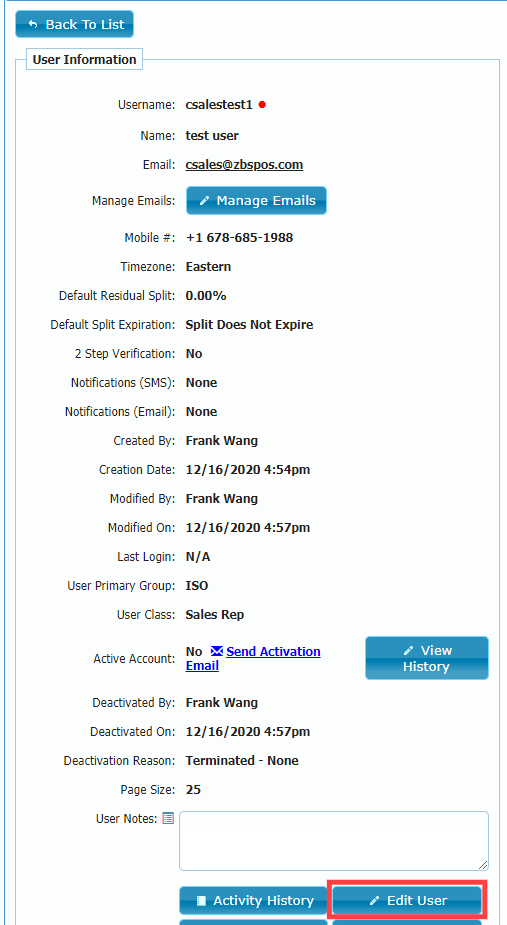
Click on Edit User
Uncheck the Active checkbox to disabled user access and select the reason for deactivation.
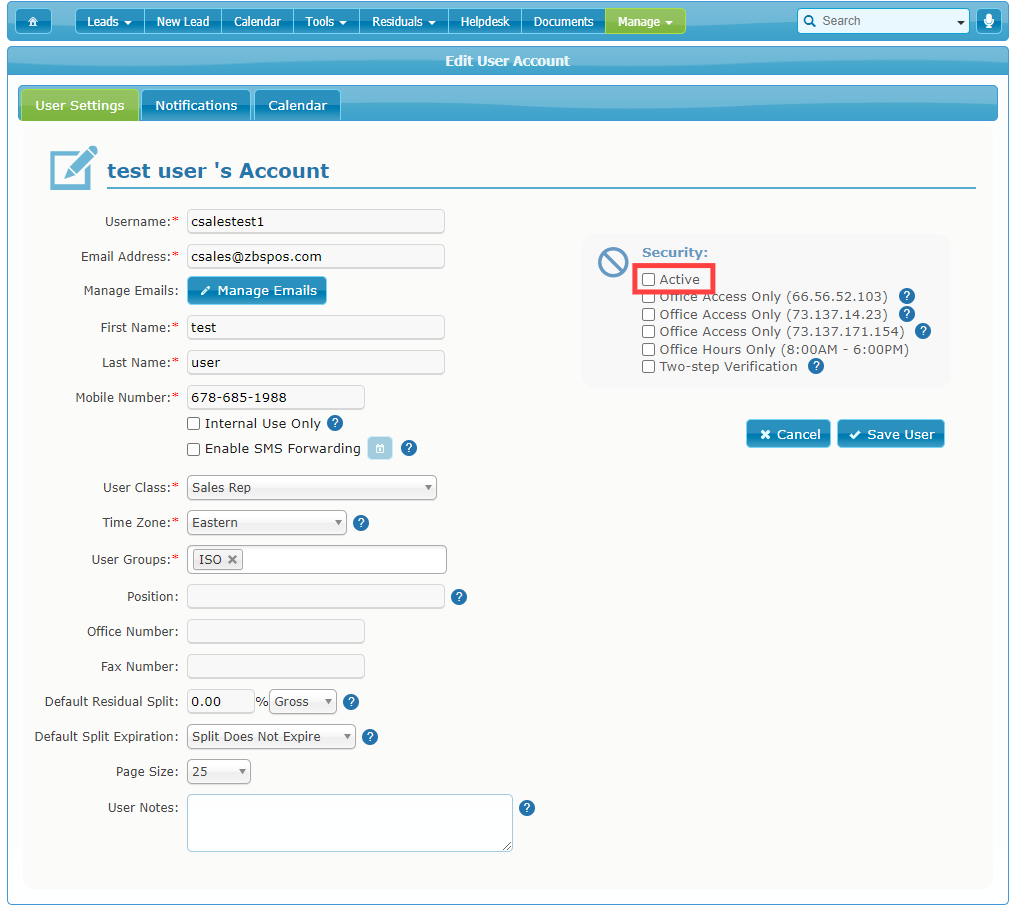
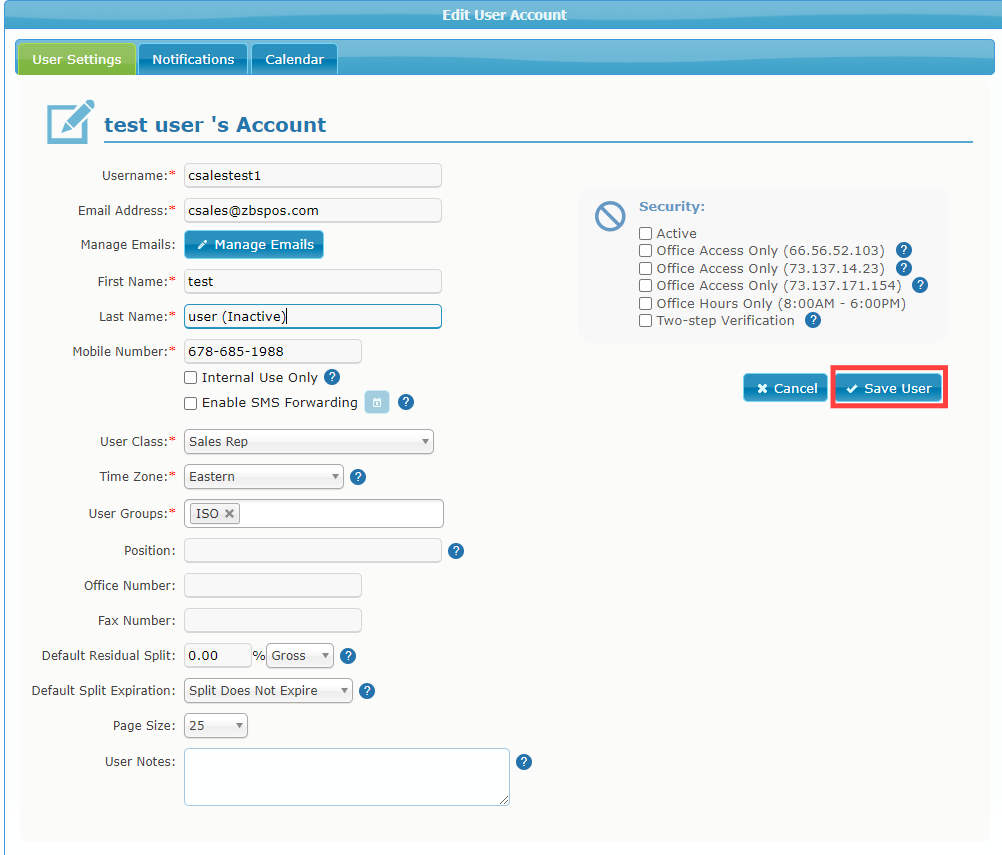
For Sales Agents, do not deactivate them to allow for manipulation of leads assigned to them. Instead, add (Inactive) to their Last Name and enable Office Access Only (73.137.14.23).
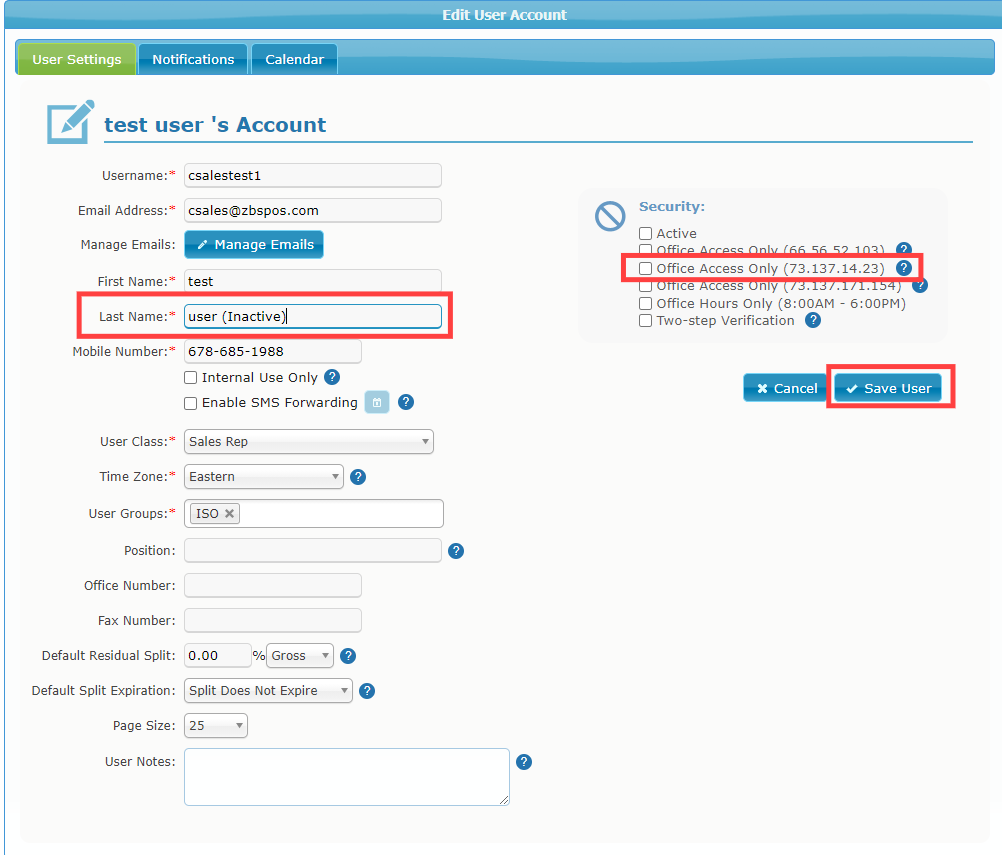
Click on Save to finish.