Google Workspace
Google Workspace
All employees will need a company email which is primarily set up through Google Workspace. There are some exceptions, especially for sales agents, that may need to be handled on a case-by-case basis.
Adding a New User
Steps:
Navigate to Google Admin page in your Google Account (you must have administrator permissions).
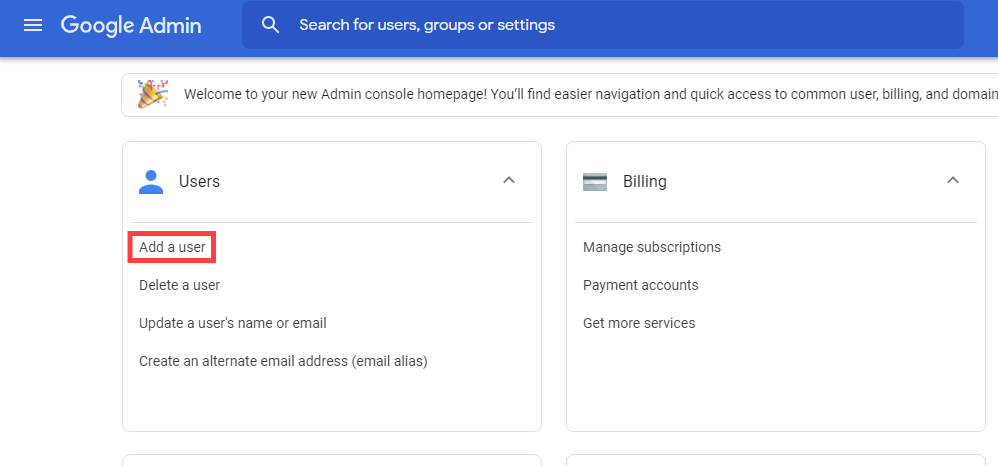
Click on Add a user
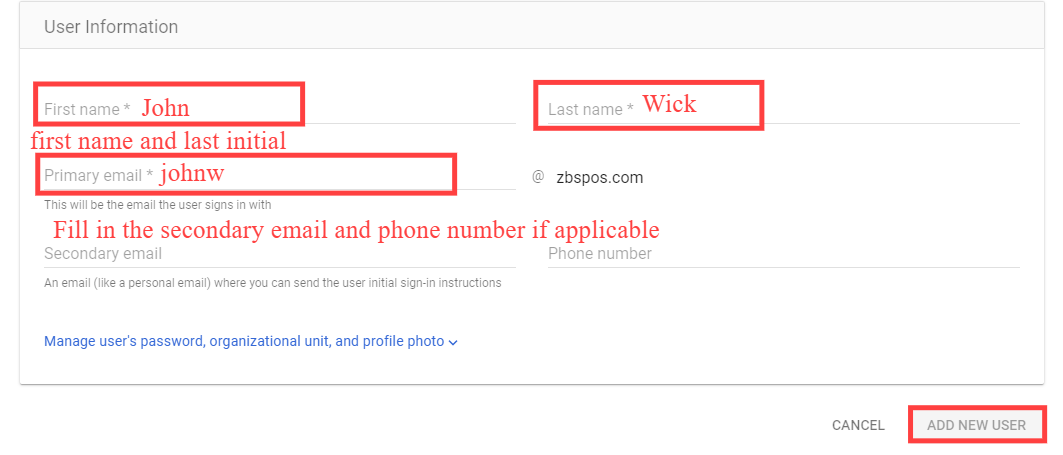
Fill in the required information with correct details regarding the new employee and click on ADD NEW USER:
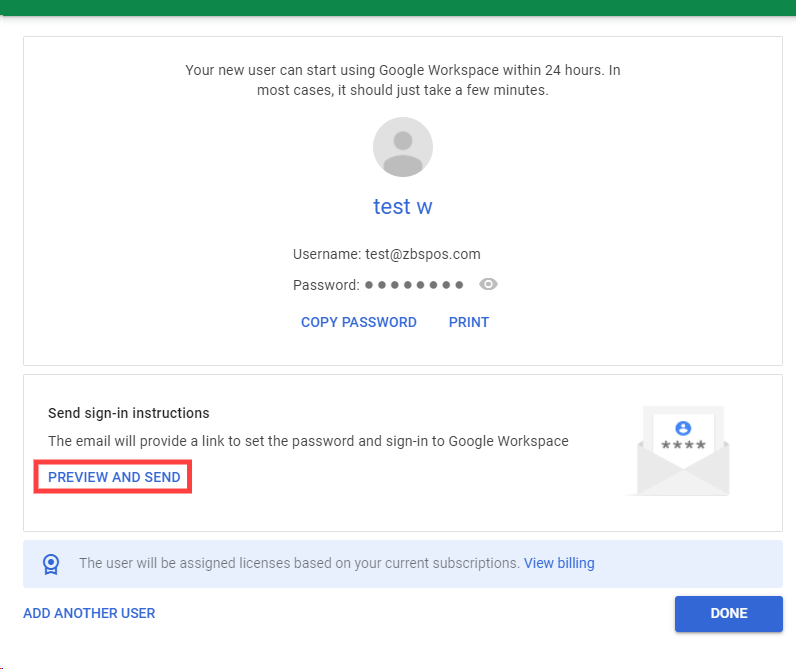
Review that the information is correct and click PREVIEW AND SEND to send the login information to the new user.
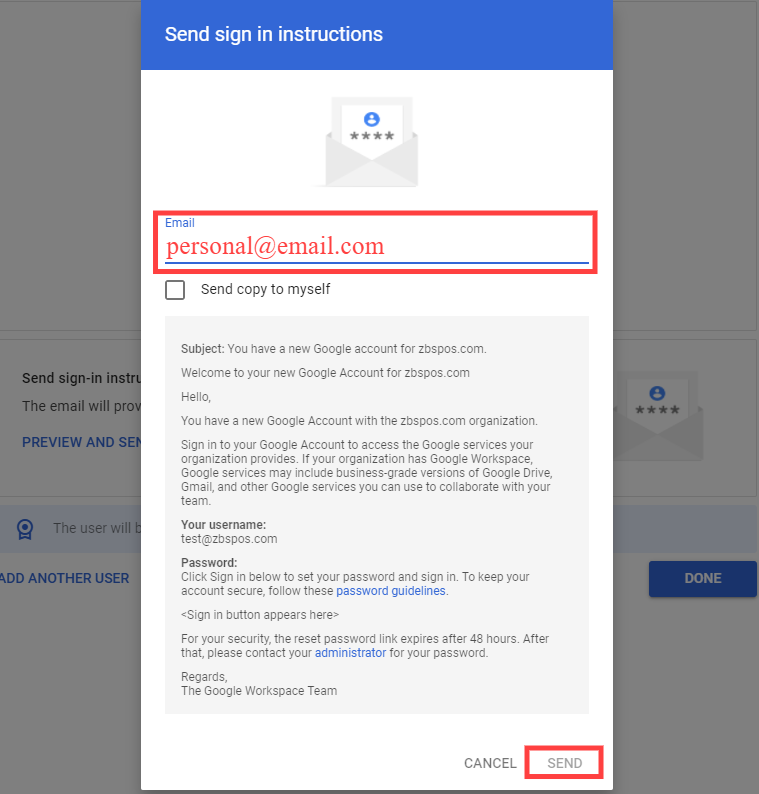
Fill in employee's personal email in the field specified and click SEND:
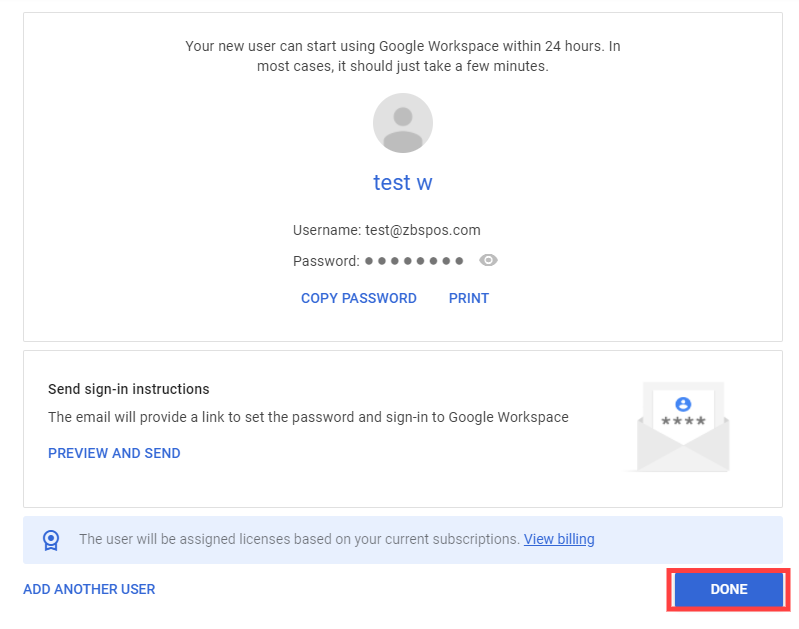
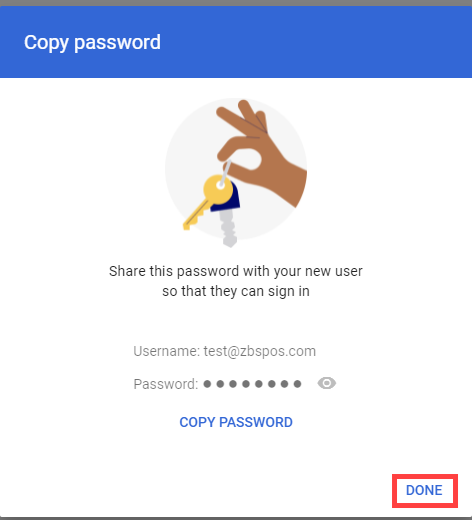
Click DONE as shown in the following two screens to continue.
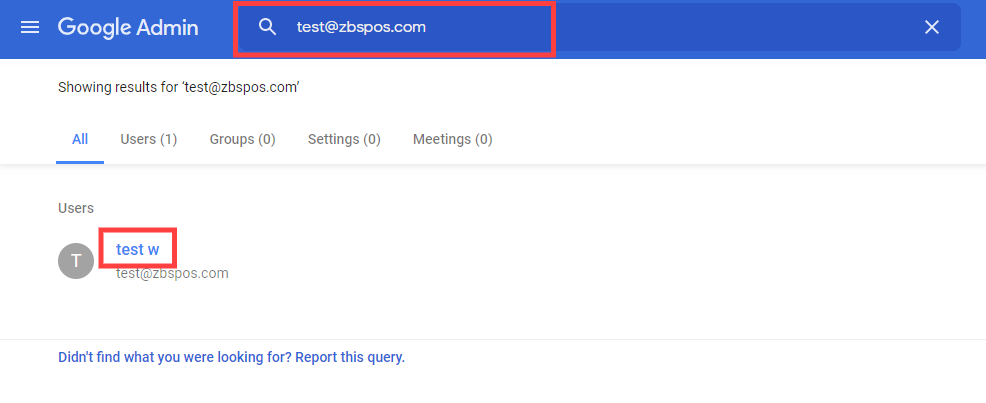
Search for the newly created user and click on the user's name.
Scroll down and click on Licenses.
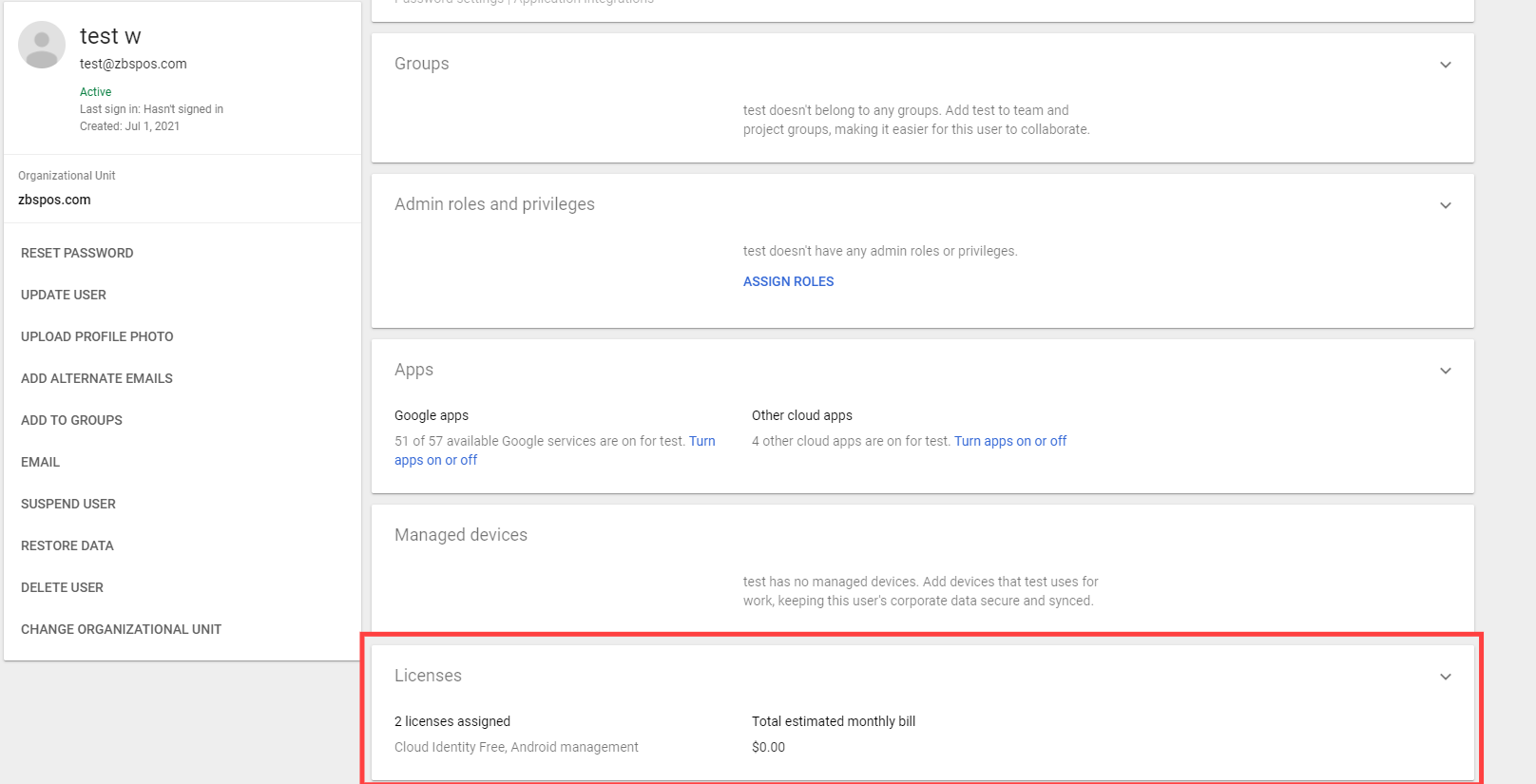
Click on google workspace business standard to assign license.
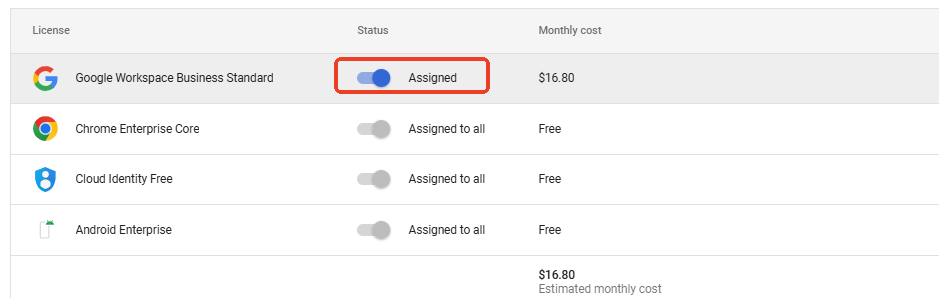
Turn on the switch to assign license and click SAVE.
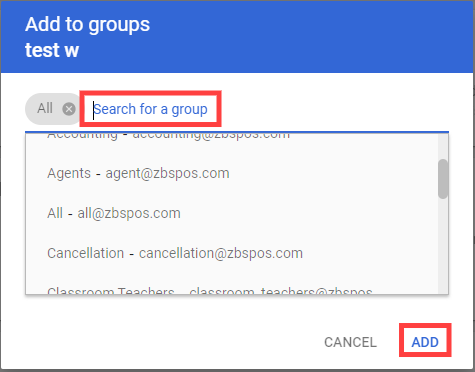
Navigate back to user page and click on ADD TO GROUPS.
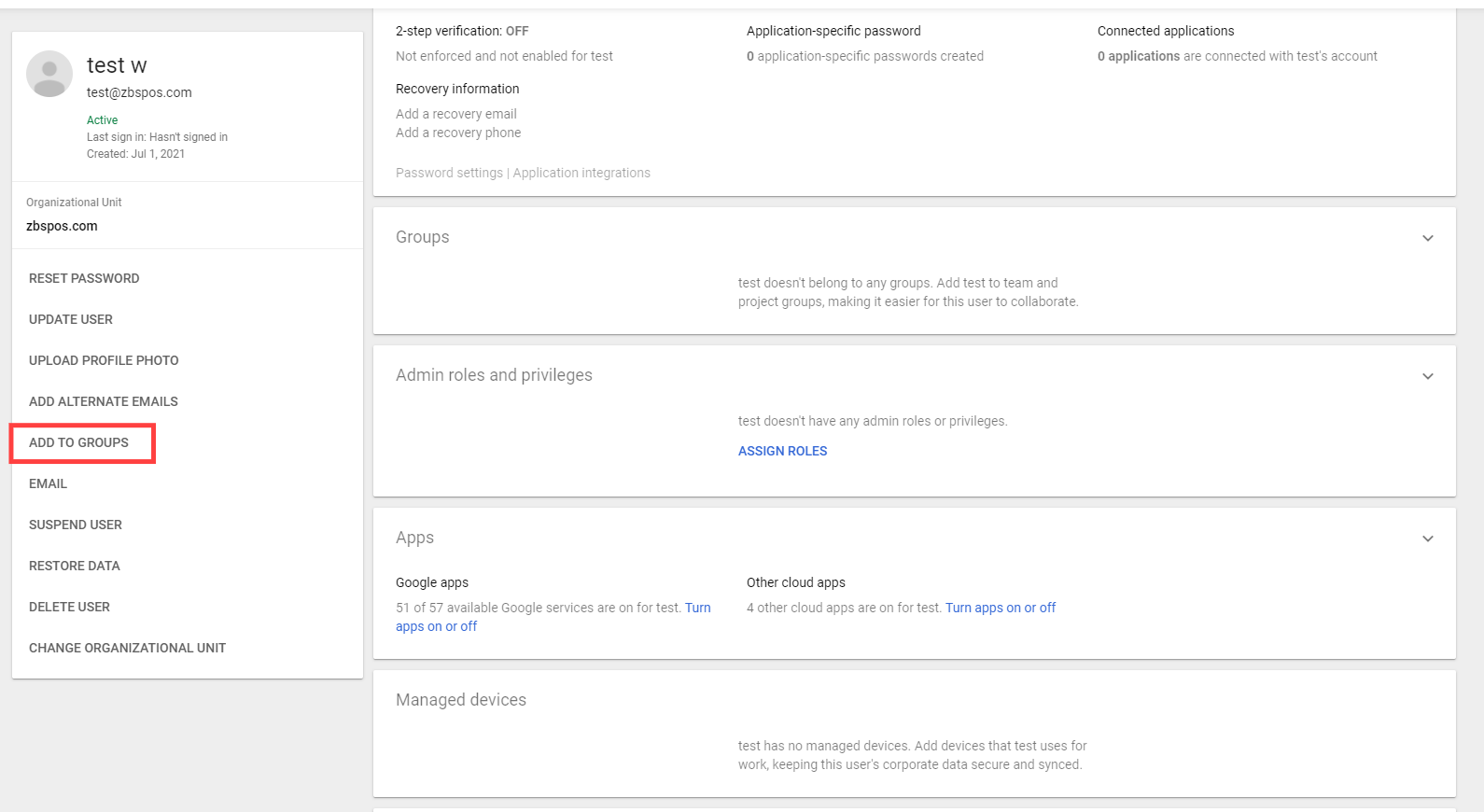
Search and add appropriate groups (based on the user's department) for the user and click ADD.